





Looking for a quiet keyboard for everyday use? Whether you're typing at work, studying, writing, or gaming, the right keyboard can make your setup more comfortable without adding unnecessary noise.
But what makes a keyboard quiet, and what should you consider before choosing one? This guide covers the key factors to look for and introduces four MechLands membrane keyboards for different typing and productivity needs.
What Makes a Keyboard Quiet?
Keyboard sound is affected by its internal structure, materials, and key mechanism. A cushioned or sound-absorbing structure can soften the impact of each keystroke and create a more muted typing sound.
This is why a quiet membrane keyboard can be a practical choice for everyday typing. Its cushioned structure helps produce softer keystrokes, making it suitable for offices, study spaces, shared rooms, and late-night use.
Keep in mind that a quiet keyboard is not necessarily completely silent. The goal is to reduce sharp and noticeable typing sounds while maintaining a comfortable typing experience.

How to Choose a Quiet Keyboard
When choosing a quiet keyboard for typing, start with the typing feel. If you spend hours writing, studying, or working, a softer keystroke can make long typing sessions feel more comfortable.
Next, consider the layout. Compact keyboards leave more room for your mouse and other desk essentials, while larger layouts with a number pad are better suited to spreadsheets, accounting, and data entry.
If you also use your keyboard for gaming, look for low latency, responsive connectivity, and a high polling rate. For wireless setups, battery life and multiple connection modes can also make everyday use more convenient.
In short, the best quiet keyboard should balance sound, comfort, layout, and performance rather than focusing on noise reduction alone.

Best Quiet Membrane Keyboards from MechLands
MechLands offers membrane keyboards in several layouts, giving you different options depending on your desk space, workflow, and preferred typing experience.
MechLands Halo68 — Compact Setup
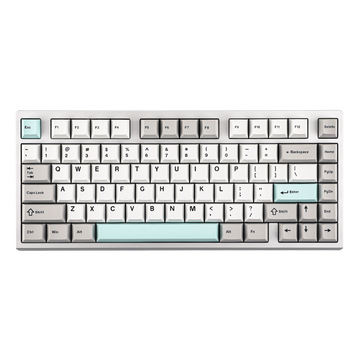
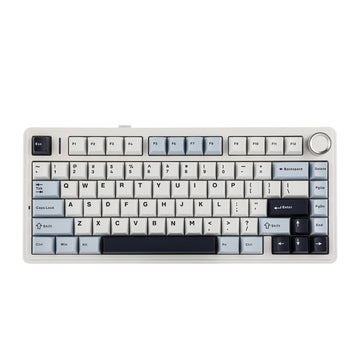
The Halo68 uses a compact 65% layout with 68 keys, giving you more mouse space while keeping your desk setup clean. Its sound-absorbing silicone membrane structure provides a soft and quiet typing experience.
With 1ms latency and 1000Hz polling in wired and 2.4GHz modes, the Halo68 is also suitable for users who want a quiet keyboard for gaming as well as everyday work and study.
Best for: compact desks, study, everyday work, and gaming.

MechLands Halo98 — Productivity + Number Pad
The Halo98 combines a 98-key layout with a dedicated number pad while taking up less space than a traditional full-size keyboard.
Its membrane design provides a creamy, quiet typing experience, making it a versatile quiet keyboard for work, study, spreadsheets, and gaming.
Best for: productivity, work from home, spreadsheets, and users who need a number pad.

MechLands M98 — Office & Data Entry
The M98 features a 96% layout with a dedicated number pad, combining a compact footprint with the keys needed for everyday productivity.
Its smooth key travel and membrane design help minimize typing noise, making it a practical quiet keyboard for office work, spreadsheets, accounting, and data entry.
Best for: office work, accounting, spreadsheets, and data entry.

MechLands M108 — Full-Size Productivity
The M108 is designed for users who prefer a traditional full-size layout with a dedicated number pad and full function row.
Its membrane design provides a softer typing experience while keeping the familiar layout needed for documents, spreadsheets, numbers, and everyday productivity.
Best for: full-size setups, office work, and productivity-focused users.

Find the Right Quiet Keyboard for You
Choosing the right quiet keyboard comes down to your workspace and preferred layout. If you need more desk space, a compact option like the Halo68 is a natural fit. If you need a number pad, the Halo98 or M98 provides more functionality without requiring a traditional full-size footprint. For users who prefer a complete layout, the M108 offers the familiar full-size configuration.
Think about how you spend most of your time at the keyboard, then prioritize the features that matter most to you: quiet typing, comfortable key feel, the right layout, and reliable performance.
Quieter keystrokes. More comfortable typing. More room to focus.


